




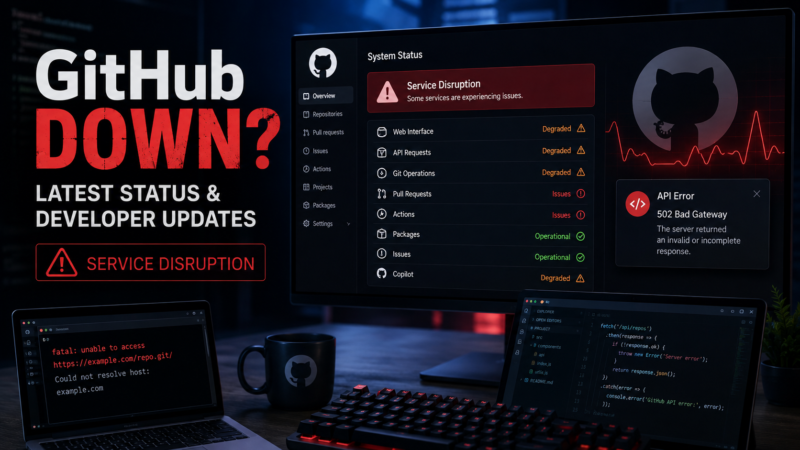
If you’re searching “GitHub down” after running into failed pushes, broken pull requests, GitHub Actions errors or an unresponsive Copilot, you’re not alone. GitHub experienced a major service disruption on August 17, 2026, affecting several core developer services around the world.
The incident caused elevated error rates across GitHub’s web experience and API traffic, while repository content, authentication, Pull Requests, Webhooks and GitHub Copilot were also affected. Reports from the outage showed that the disruption lasted several hours before services returned to normal.
For developers, the timing was particularly painful because GitHub has become much more than a place to store source code. Modern development workflows rely on GitHub for repositories, code reviews, CI/CD pipelines, authentication, automation and AI-assisted coding.
Here’s what happened, what’s working now and what developers should know.
Is GitHub Down Right Now?
The major August 17 GitHub outage has been resolved.
The disruption affected GitHub’s core services, but subsequent reporting indicated that the company had restored normal operation. During the incident, GitHub’s web and API traffic experienced error rates of around 20%, while repository archive and raw-content downloads saw failure rates approaching 50%.
If you’re still experiencing problems, the issue may be specific to your account, network, repository or a particular GitHub service rather than a platform-wide outage.
For real-time information, developers should check the official GitHub Status page before changing local configurations or deleting and recreating repositories.
What Happened During the GitHub Outage?

The major incident began on August 17, 2026, and quickly affected multiple parts of the GitHub ecosystem.
Developers reported problems with:
- GitHub.com
- Git operations
- Pull Requests
- Issues
- Webhooks
- GitHub Actions
- API requests
- Repository downloads
- Authentication
- GitHub Copilot
The disruption wasn’t limited to the GitHub website. Developers who depended on automated workflows also experienced problems because GitHub Actions and other backend services rely on the platform’s underlying infrastructure.
According to reporting on the incident, GitHub’s web and API traffic reached roughly 20% error rates, while archive and raw repository downloads experienced failure rates of around 50% during the worst period.
That meant a developer could potentially open one part of GitHub while another essential function was failing.
GitHub Copilot Was Also Affected
One of the most noticeable consequences was the impact on GitHub Copilot.
Developers increasingly rely on Copilot for:
- Code generation
- Debugging
- Refactoring
- Documentation
- Code explanations
- Test generation
- Development assistance
When GitHub’s underlying services experienced problems, Copilot was also disrupted.
This illustrates an important change in the developer ecosystem: an outage at a code-hosting platform can now affect both traditional software-development workflows and AI-assisted development.
Recent GitHub reliability reports have also highlighted the rapidly increasing scale of AI-assisted and agentic development workloads. GitHub said in April that its infrastructure planning had expanded from a 10× capacity goal to designing for roughly 30× today’s scale, citing rapid growth in repository creation, pull requests, API usage, automation and large-repository workloads.
Which GitHub Services Were Affected?
The August outage was broad enough to affect multiple components.
| GitHub Service | Impact During Outage |
|---|---|
| GitHub.com | Significant disruption |
| Git Operations | Errors and degraded availability |
| API Requests | Elevated error rates |
| Pull Requests | Affected |
| Issues | Affected |
| Webhooks | Affected |
| GitHub Actions | Affected |
| Repository Downloads | High failure rates |
| Authentication | Some authentication services affected |
| GitHub Copilot | Significant disruption |
The exact experience varied depending on which GitHub service a developer was using.
This is why some developers reported that GitHub appeared completely unavailable while others could still access certain pages or perform limited operations.
How Long Was GitHub Down?
The August 17 incident lasted for several hours.
Reporting on the incident places the beginning around 9:40 a.m. ET, with GitHub gradually mitigating the problem throughout the day. GitHub’s services recovered in stages rather than returning to normal simultaneously.
That distinction matters because an outage isn’t necessarily an all-or-nothing event.
For example, GitHub.com might become accessible while:
- Git operations are still failing
- Copilot remains unavailable
- Actions jobs remain delayed
- API requests return errors
- Authentication continues experiencing problems
For this reason, checking the official status page is more reliable than simply asking whether the GitHub homepage loads.
Why Was GitHub Down?
The August outage exposed the complexity of running a developer platform at GitHub’s scale.
Initial reports indicated that GitHub identified a problematic component and began corrective action. However, the company had not immediately provided a complete public root-cause explanation in the early reporting around the incident.
That means developers should distinguish between:
What is confirmed:
Multiple GitHub services experienced elevated error rates and the company performed mitigation and recovery operations.
What remains under investigation:
The complete technical root cause and the precise chain of failures behind the incident.
GitHub has historically published detailed availability reports explaining the technical causes of incidents. Those reports can include database problems, infrastructure changes, capacity issues, authentication failures and service dependencies.
GitHub Has Been Investing in Reliability
The latest outage comes after several months in which GitHub has publicly discussed its reliability and infrastructure work.
In April 2026, GitHub said it was redesigning parts of its infrastructure to handle significantly greater scale. The company specifically pointed to the rapid growth of agentic development workflows and the resulting increase in repository creation, Pull Requests, API usage and automation.
GitHub has also been moving workloads toward Azure and working to separate services and reduce shared failure points. Its May availability report described infrastructure changes intended to improve resilience and accommodate rapidly growing traffic.
That makes the August outage especially relevant for developers: the challenge isn’t simply keeping a website online. GitHub has to support a huge interconnected system of source control, CI/CD, authentication, APIs, webhooks and AI-powered development tools.
What Should Developers Do When GitHub Goes Down?
If GitHub isn’t working, don’t immediately assume your repository or local Git installation is broken.
Follow these steps.
1. Check GitHub Status
Open the official GitHub Status page.
Look specifically at:
- Git Operations
- API Requests
- Pull Requests
- Actions
- Webhooks
- Copilot
2. Check Your Git Remote
If the website works but git push doesn’t, check your remote configuration:
This helps determine whether your local repository is pointing to the expected remote.
3. Don’t Delete Your Local Repository
If GitHub is experiencing an outage, deleting your local repository generally won’t solve the problem.
Your local commits can remain safely on your computer while GitHub recovers.
4. Keep Working Locally
You can continue many development tasks without GitHub:
- Edit code
- Commit changes
- Create branches
- Run tests
- Build your application
- Review local changes
For example:
The commits will remain locally until the remote service becomes available again.
5. Retry Carefully
If GitHub is experiencing a major outage, repeatedly retrying API calls or automated jobs can make troubleshooting more difficult.
For CI/CD systems, consider temporarily pausing non-essential automated workloads if the outage is causing repeated failures.
Why GitHub Outages Matter More in 2026
A GitHub outage today can have a much bigger impact than a traditional source-code hosting outage.
Modern development pipelines often look something like this:
Developer → GitHub → Pull Request → AI Review → GitHub Actions → Testing → Deployment
If several components depend on GitHub, one platform outage can affect the entire chain.
Developers may suddenly be unable to:
- Push code
- Create Pull Requests
- Run Actions
- Download repositories
- Authenticate applications
- Use Copilot
- Trigger deployments
- Receive webhooks
This dependency is becoming even more significant as AI coding agents become integrated into software development.
GitHub itself has acknowledged the rapid growth of agentic development and the infrastructure requirements associated with it.
Is GitHub Becoming Less Reliable?
It’s too early to conclude that GitHub is broadly unreliable based on one incident.
However, the company has experienced multiple service disruptions in 2026 and has been unusually transparent about its availability challenges.
GitHub’s June availability report, for example, documented six incidents that resulted in degraded performance across GitHub services.
Its May report documented nine incidents.
GitHub has responded by publishing more detailed service-level uptime information and introducing a “Degraded Performance” status level to distinguish partial performance problems from more severe outages.
So the more accurate conclusion is that GitHub is actively dealing with the challenges of scaling a rapidly growing platform—not that the service is simply failing.
Could Developers Be Affected by Another GitHub Outage?
Yes. No large online platform can guarantee zero downtime.
For professional developers and businesses, the lesson is to avoid having a single platform become an absolute dependency.
Good practices include:
- Keep important repositories backed up.
- Maintain local Git history.
- Document deployment procedures.
- Keep emergency credentials securely available.
- Maintain alternative communication channels.
- Consider backup CI/CD options for critical infrastructure.
- Monitor GitHub Status.
- Avoid relying entirely on one cloud service for mission-critical systems.
For individual developers, maintaining a local clone of important repositories is one of the simplest precautions.
GitHub vs. Emerging Developer Platforms
The latest outage also arrives as new developer platforms are competing for attention.
On August 19, 2026, Cursor launched Origin, a code-hosting platform positioned as an alternative in an ecosystem increasingly shaped by AI-assisted development. Reporting on the launch specifically connected the timing to recent GitHub reliability concerns.
That doesn’t mean developers should immediately abandon GitHub.
GitHub remains deeply integrated into the software-development ecosystem, with an enormous repository base, developer community and tooling ecosystem.
But competition can encourage infrastructure providers to improve:
- Reliability
- Developer experience
- AI integration
- CI/CD
- Repository management
- Collaboration
- Agentic workflows
For developers, that competition could ultimately be beneficial.
What Is the Latest GitHub Status?
As of the latest reporting available for August 19, 2026, the major August 17 outage has been resolved, and GitHub has returned to normal operation after the widespread disruption.
If you’re experiencing problems right now, don’t rely solely on third-party outage reports.
Check the official GitHub Status page for service-specific information.
You can also check whether the problem is limited to:
- GitHub.com
- Git operations
- Actions
- API requests
- Pull Requests
- Webhooks
- Copilot
- Authentication
That can quickly tell you whether you’re dealing with a GitHub-wide incident or a local problem.
Final Verdict
The latest GitHub outage is a reminder of how deeply modern software development depends on cloud-based developer platforms.
The August 17 incident affected GitHub.com, APIs, Git operations, Pull Requests, Webhooks, Actions and Copilot, creating significant disruption for developers. The service subsequently recovered, but the incident highlights the technical challenge of scaling GitHub as AI-assisted and agentic software development continues to grow.
For developers, the best response isn’t panic. Keep local Git repositories, maintain backups of critical projects and use the official status page whenever GitHub starts behaving unexpectedly.
And if you’re searching “Is GitHub down?”, the first place to check should always be GitHub’s official status dashboard.
Frequently Asked Questions
Is GitHub down right now?
The major August 17, 2026 GitHub outage has been resolved. If you’re still experiencing problems, check the official GitHub Status page for service-specific issues.
Why was GitHub down?
The August 17 incident affected multiple GitHub services and involved elevated error rates across web, API and repository-related services. The complete technical root cause should be distinguished from the initial mitigation information released during the incident.
Was GitHub Copilot down too?
Yes. GitHub Copilot was among the services affected during the major outage.
Were GitHub Actions affected?
Yes. The outage affected GitHub Actions along with several other services used in modern development workflows.
How can I check whether GitHub is down?
Check the official GitHub Status dashboard. It provides service-level information for Git Operations, API Requests, Pull Requests, Actions, Copilot and other GitHub services.
Can I use Git locally when GitHub is down?
Yes. Git is distributed, so you can continue committing, branching and reviewing changes locally. You simply may not be able to push or pull from GitHub until the service recovers.
How can developers protect themselves from GitHub outages?
Keep local repositories, maintain backups of important projects, document deployment procedures and avoid making a single external platform the only copy of mission-critical code.
EXTERNAL SOURCE SUGGESTIONS
- GitHub Status — Best source for real-time GitHub service status.
- GitHub Blog — Availability Updates — Official reliability and infrastructure information.
- GitHub Blog — An Update on GitHub Availability — GitHub’s infrastructure and scaling plans.
- GitHub Blog — June 2026 Availability Report — Official incident analysis and reliability information.
- GitHub Blog — Status Page Transparency Update — Explanation of GitHub’s service-status classifications.
SOCIAL MEDIA
Facebook / LinkedIn
🚨 Is GitHub down?
GitHub suffered a major outage affecting developers worldwide, with problems reported across Git operations, APIs, Pull Requests, Actions and GitHub Copilot.
The major incident has now been resolved, but the outage raises important questions about GitHub’s reliability as AI-powered development continues to grow.
Read the complete GitHub outage update on AJTechy.
X / Twitter
🚨 GitHub outage update:
GitHub’s August 17 outage affected Git operations, APIs, Pull Requests, Actions and Copilot.
The major disruption has been resolved. Here’s what developers need to know 👇
Hashtags
#GitHub #GitHubDown #GitHubOutage #Developers #Programming #GitHubCopilot #GitHubActions #TechNews #SoftwareDevelopment #AJTechy